
Tee Sheet & Online Booking
See every bay for the day and book, move, or cancel a reservation on the live sheet, with drag-and-drop moves, walk-ins, and capacity in view. Guests use the same view online to pick a time.
Explore the tee sheetGolfBooking brings bookings, payments, guest screens, staffing, and reporting together so owners and staff can run the facility from one platform.
2 months free. Your trial starts after setup, with your welcome email.
Bookings & Events
Run the public booking sheet and the staff tee sheet together — including waitlists, lessons, events, and leagues.
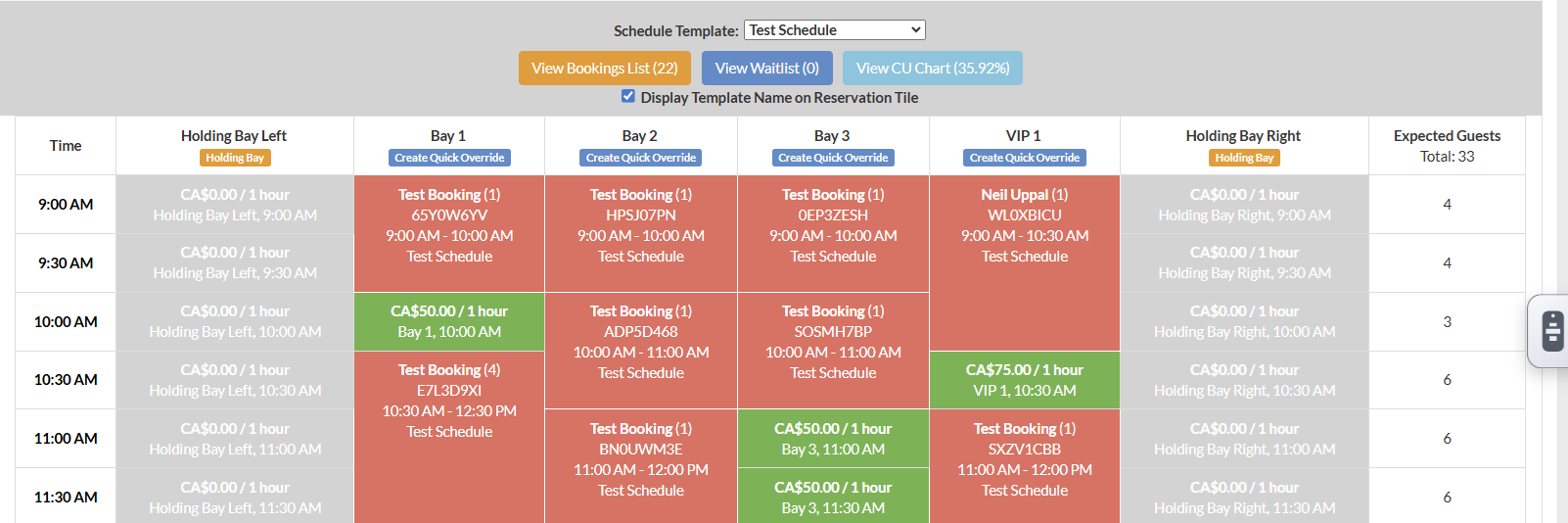
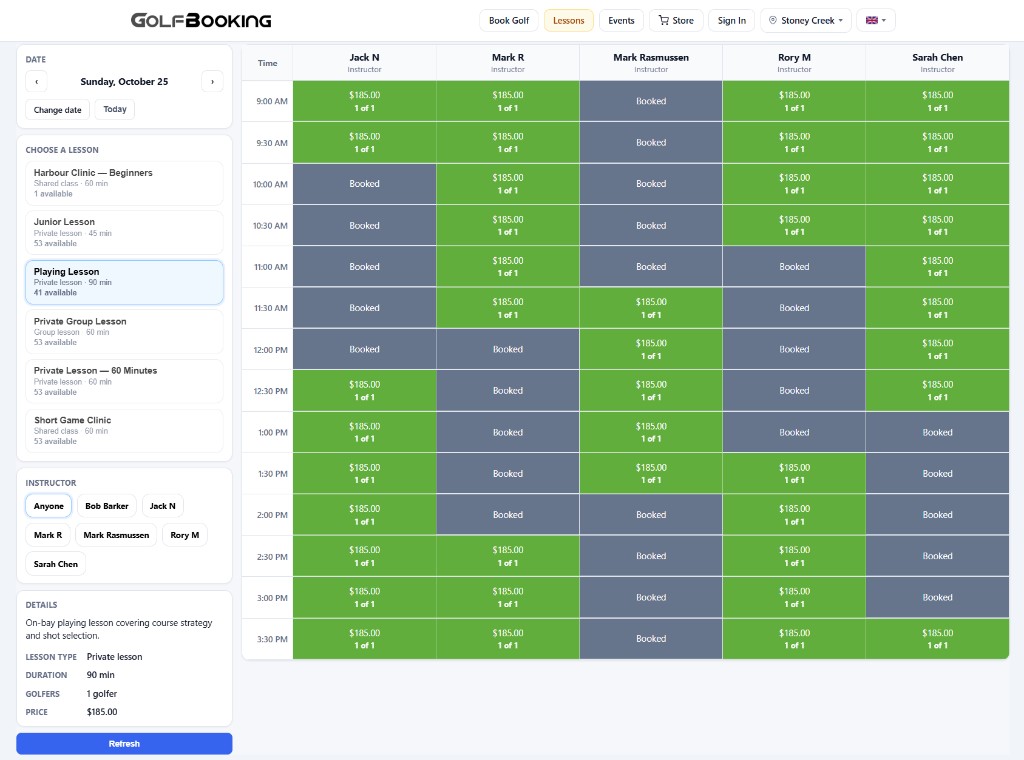
See every bay for the day and book, move, or cancel a reservation on the live sheet, with drag-and-drop moves, walk-ins, and capacity in view. Guests use the same view online to pick a time.
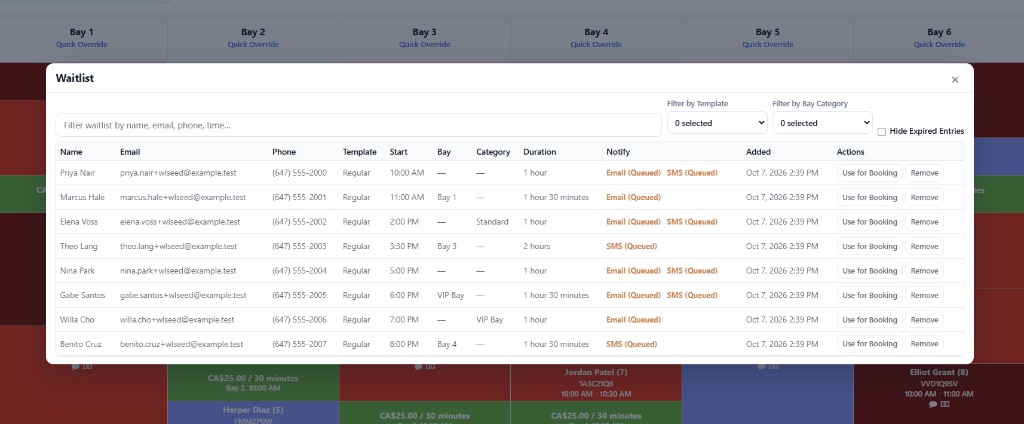
Explore the tee sheetWhen the bay they want is full, take their name and email or text them when that window opens up.
Explore waiting listSell a private lesson, a class with seats, a party, or a league night on the same sheet as bay rentals — with its own public page.
Explore lessons, events & leaguesSales & Payments
Take payments online or at the desk, run Checks on the floor, and sell packages and gift cards.
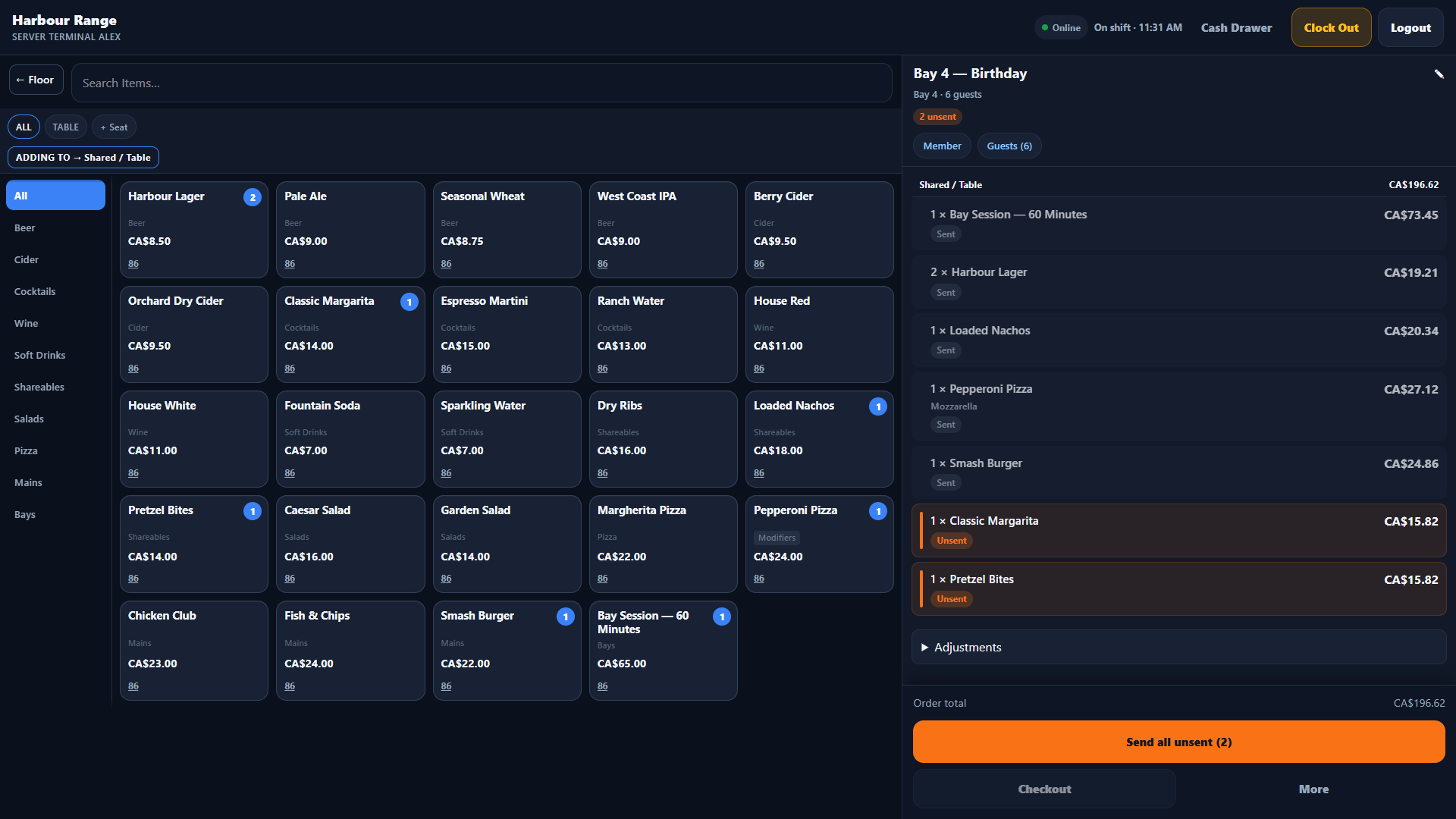
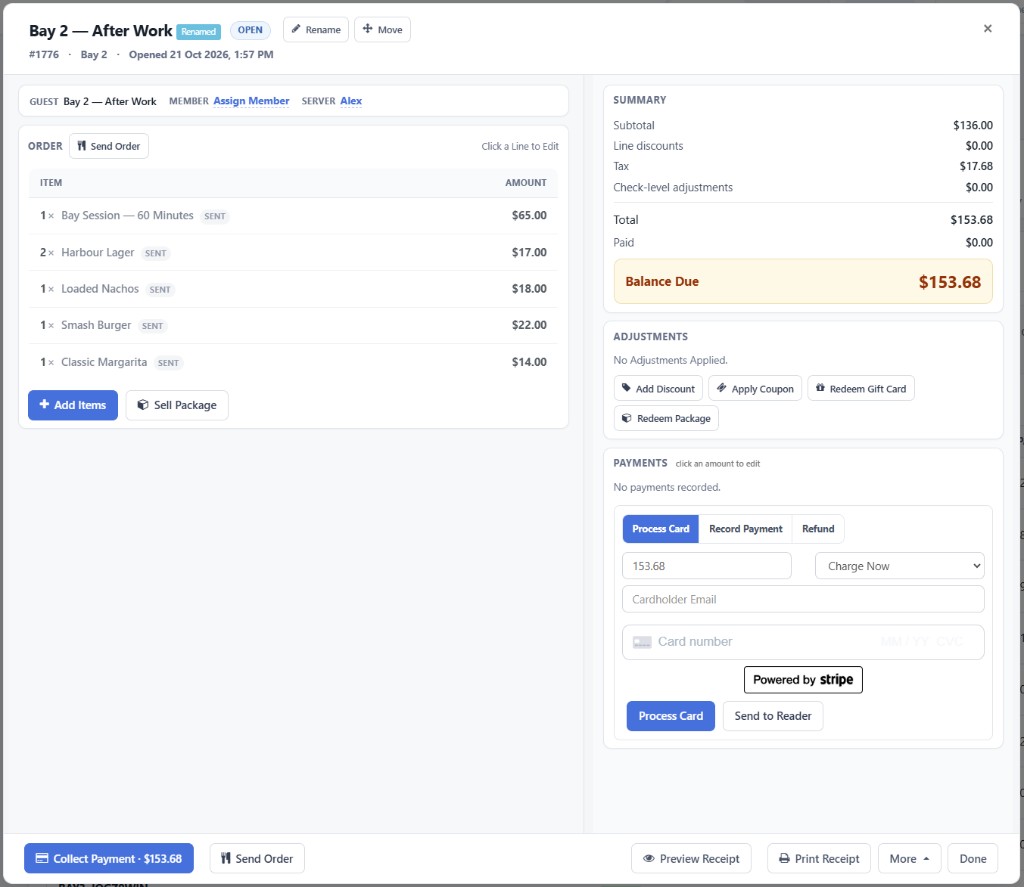
Open a check for a bay or table, send food and drinks to the kitchen, and close with cash, card, or a gift card — including the bay fee on the same check.
Explore point of saleAccept credit cards for payments and authorization holds, online or at the desk. Pair a Stripe or Square terminal with GolfBooking to process the check on the reader.
Explore paymentsSell a prepaid bundle — bay time, lesson credits, food and drink, or a mix — and redeem it when the guest books or visits.
Explore packagesSell gift cards for money or for bay minutes, online or at the register, and redeem them on a booking or a check.
Explore gift cardsCreate a code with a dollar or percent discount, dates, and a redemption limit. Guests apply it when they book, and staff apply it on a booking-attached check.
Explore couponsGuest Experience
In-bay tablets and digital waivers keep guests informed and ready to play.
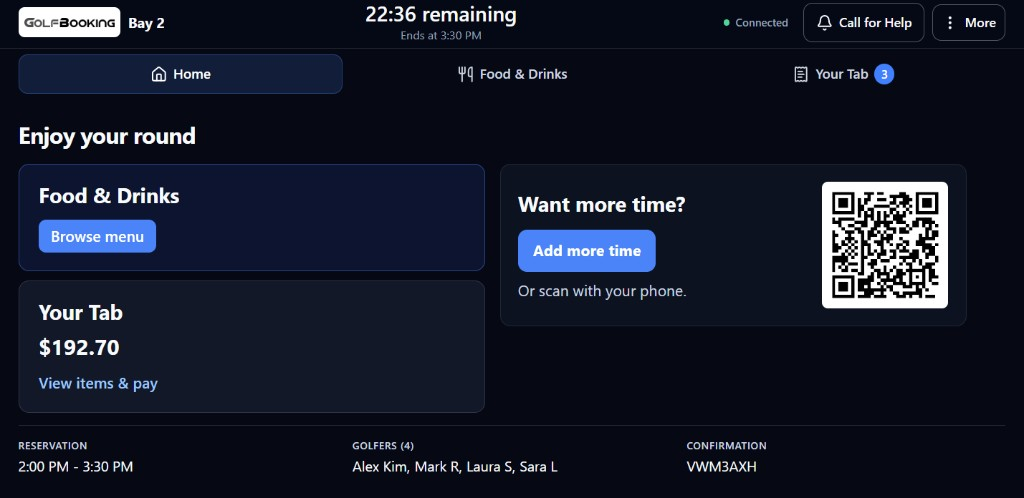
Guests can order food, drinks, and more playing time right from their bay.
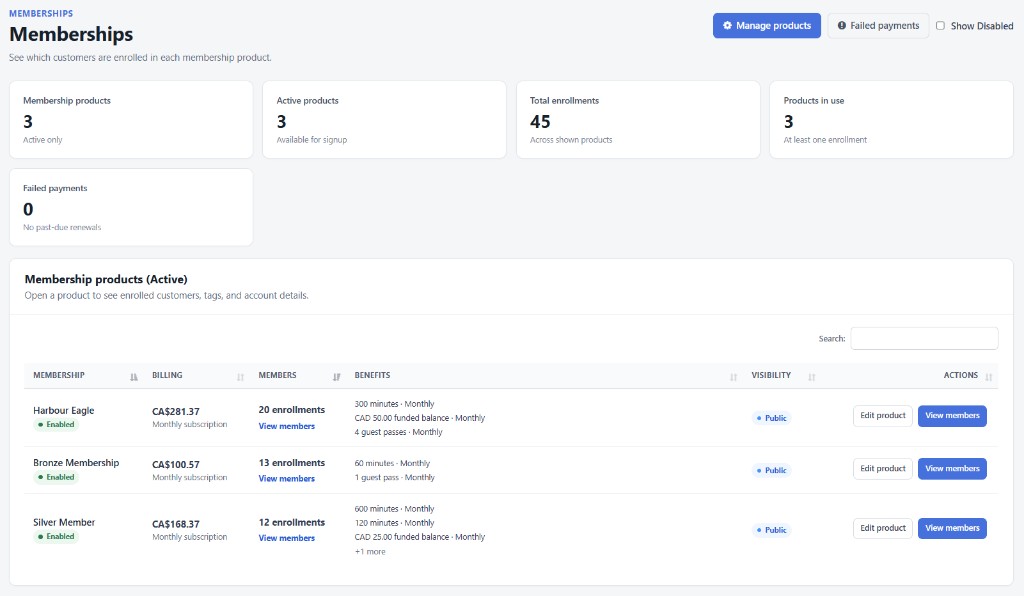
Explore Customer ScreensSell a membership online or at the desk, renew it automatically, and give members included time, funds, or guest passes they can use on a booking.
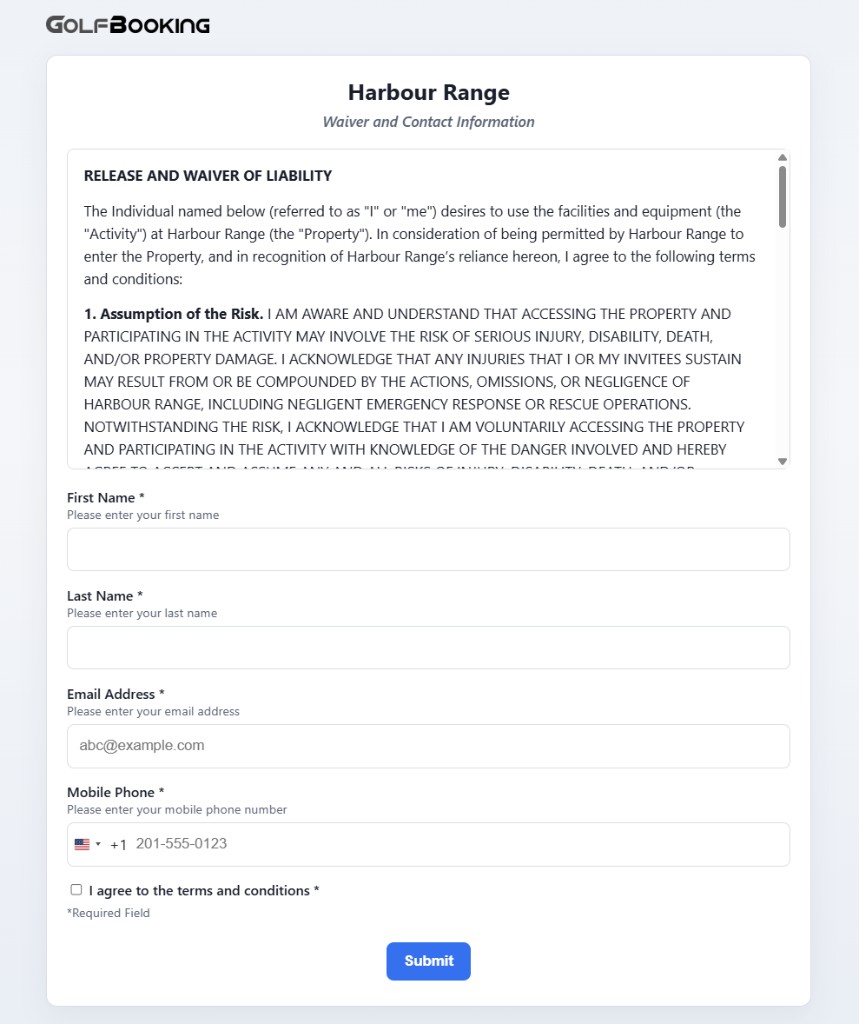
Explore membershipsSend a waiver guests can sign on their phone, and see who has signed before they hit the bay. The same builder covers feedback and signup forms.
Explore digital waivers & surveysFacility Operations
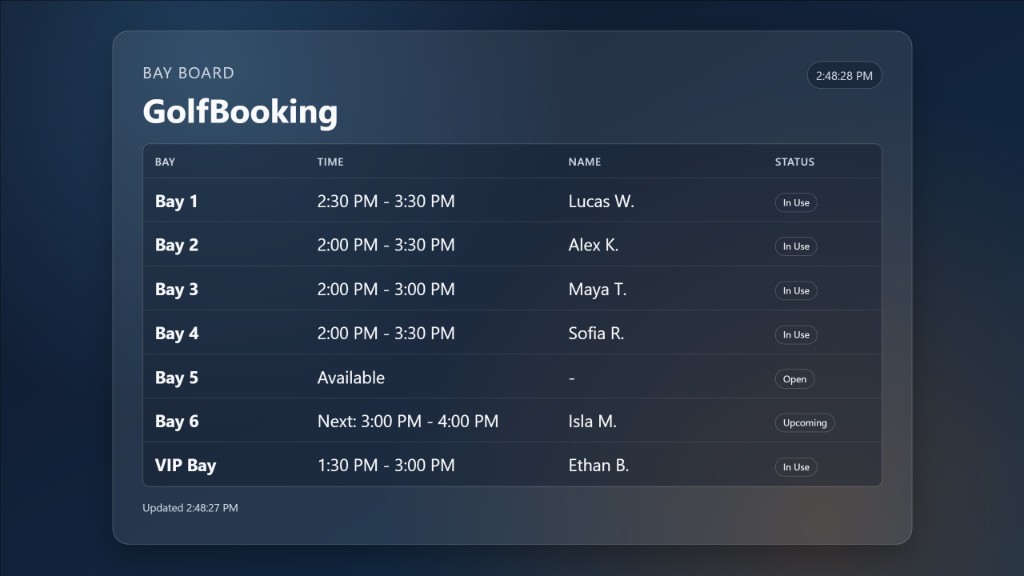
Schedule staff, watch live bay status, connect doors and bay devices, and show the day on venue TVs.
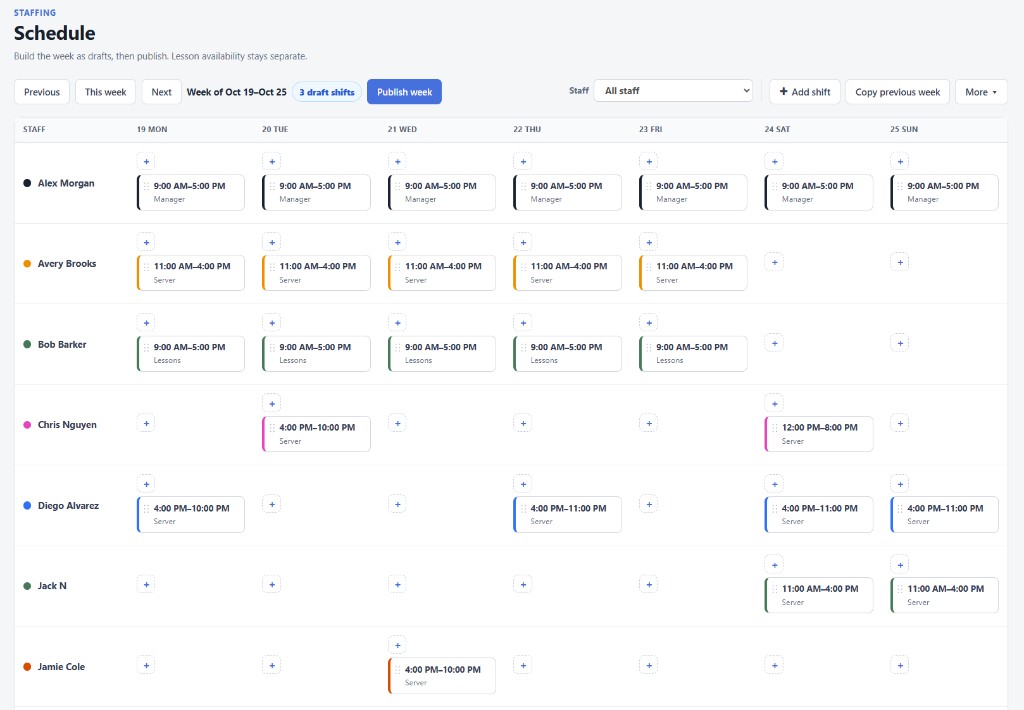
Build the weekly roster, publish it so the team gets an email, and let people request time off or offer a shift — with Time Clock punch-in on the floor.
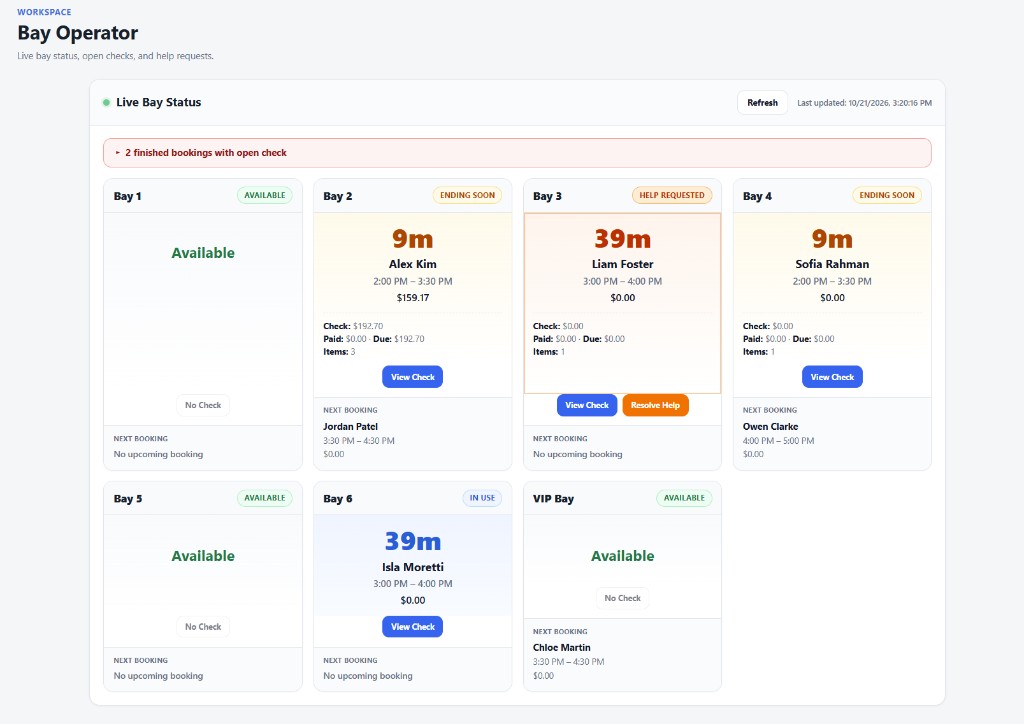
Explore staffingWatch every bay from one screen: who is in, who is about to finish, who called for help, and which check is still open.
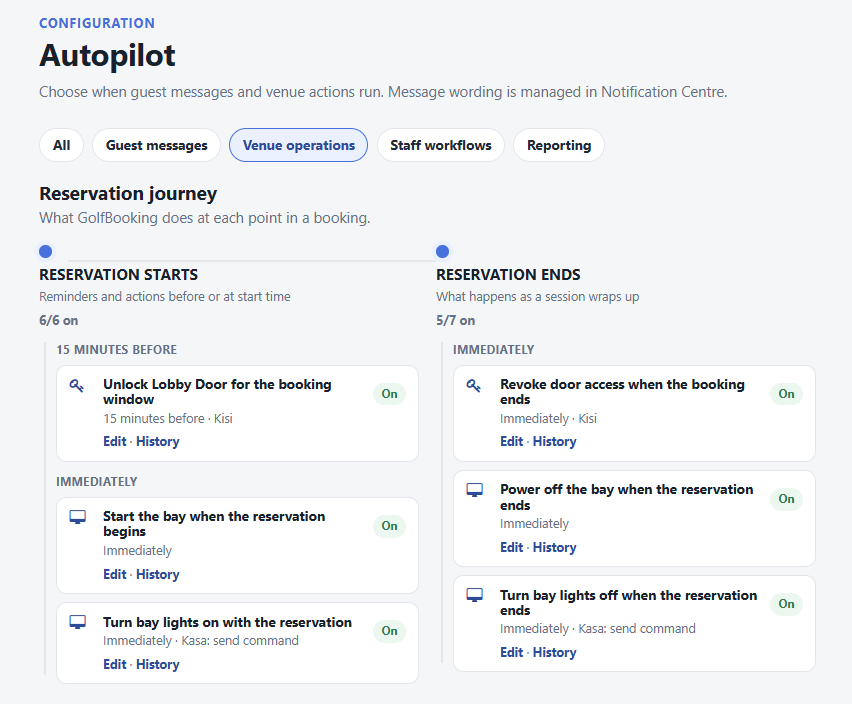
Explore Bay OperatorUnlock the door for the booking window, start the simulator when the guest arrives, and turn lights or plugs on and off with the reservation.
Explore access & automationPlay your own photos, videos, and live bay boards on TVs around the venue — schedule by date and day, and take over a screen when you need to.
Explore GolfBooking TVMarketing & Insights
Automate guest and staff messaging, build marketing lists, and review cash collected and day-to-day activity.
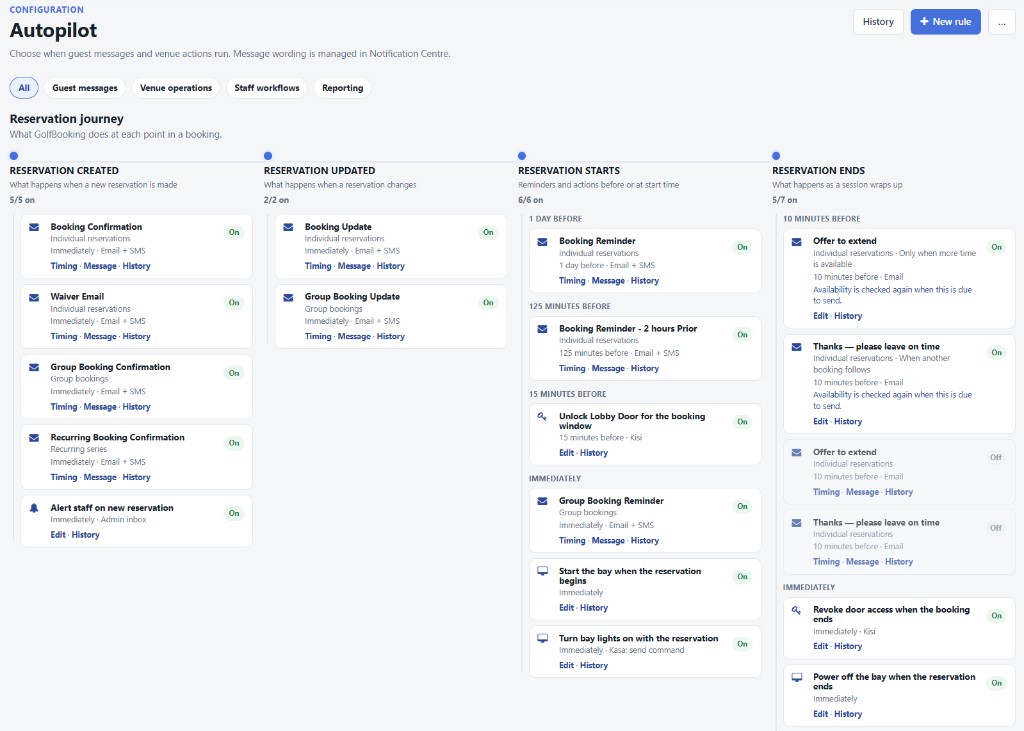
When a booking, membership, or shift changes, Autopilot sends the email or text, unlocks the door, or turns on the bay — on a schedule you set.
Explore AutopilotWrite confirmation, reminder, cancellation, waiver, and membership messages once. GolfBooking sends them by email or text when the booking changes.
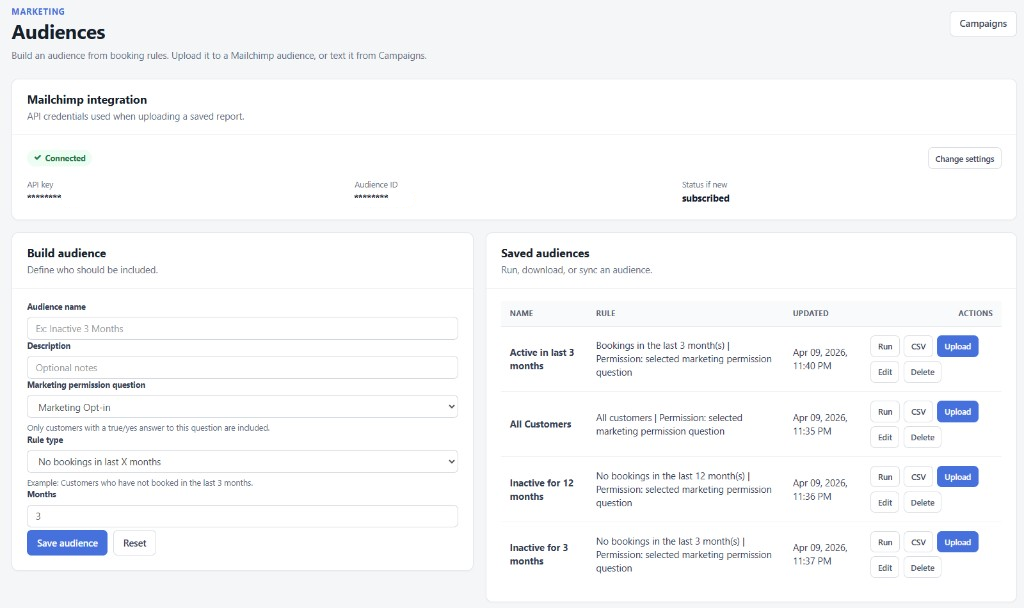
Explore notificationsBuild a customer list from your own booking and membership rules, then download it or send it to Mailchimp with a tag for that list.
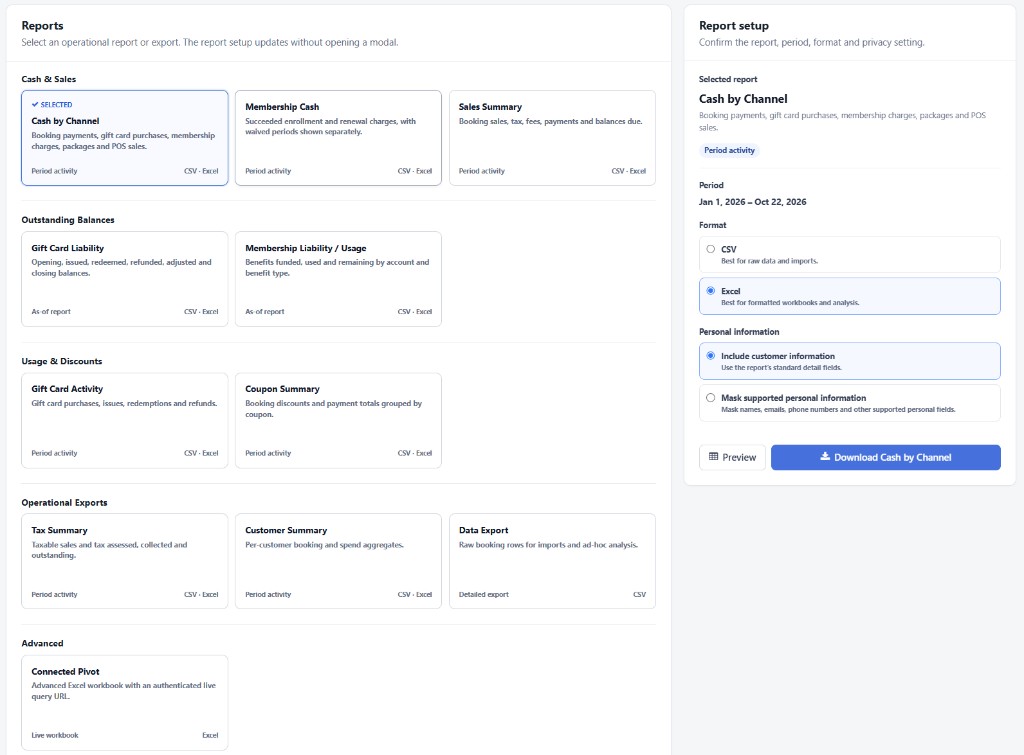
Explore marketing listsClose the day on cash and card. See cash collected by channel, what’s still owed, gift card liability, and what’s booked ahead.
Explore reportingBook a demo, or start a 2-month free trial. The trial begins with your Welcome to GolfBooking email.